
Most companies start with simple accounting software: invoices, the tax return and monthly entries. That's a sensible choice at the beginning. But as the business grows, a question comes up: is accounting software still enough, or is it time for an ERP system that connects every department? This article helps you answer that with practical signs, not marketing terms.
What's the difference between accounting software and an ERP?
Accounting software records the financial result of what happened: an invoice was issued, an amount was paid, an entry was posted. An enterprise resource planning (ERP) system records the process itself from the very start: the quotation, the sales order, the goods leaving the warehouse, then the invoice and the collection. In an ERP, the accounting entry is an automatic result of each department's work, not a separate entry made by the accountant.
So the difference isn't the number of screens; it's where the number comes from. In accounting software, the number comes from someone typing it in. In an ERP, it comes from the process itself.
Five signs your company has outgrown its accounting software
- You enter the same data more than once. Sales records the order in one spreadsheet, the warehouse in another, and the accountant types it into the software again.
- You don't know your real stock levels until after a manual count, or you find out an item is out of stock after a customer orders it.
- Reports wait until the end of the month, because someone has to collect numbers from several sources and reconcile them.
- Every new department adds a new system: one for payroll, another for point of sale, a third for salespeople, each with its own subscription and data.
- A manager asks a simple question, such as how much profit we made from this customer this quarter, and the answer takes two days of work.
If two or more of these sound familiar, the problem usually isn't your staff; it's that your tools don't talk to each other.
What do you gain by moving to an integrated ERP?
Enter it once, see it everywhere
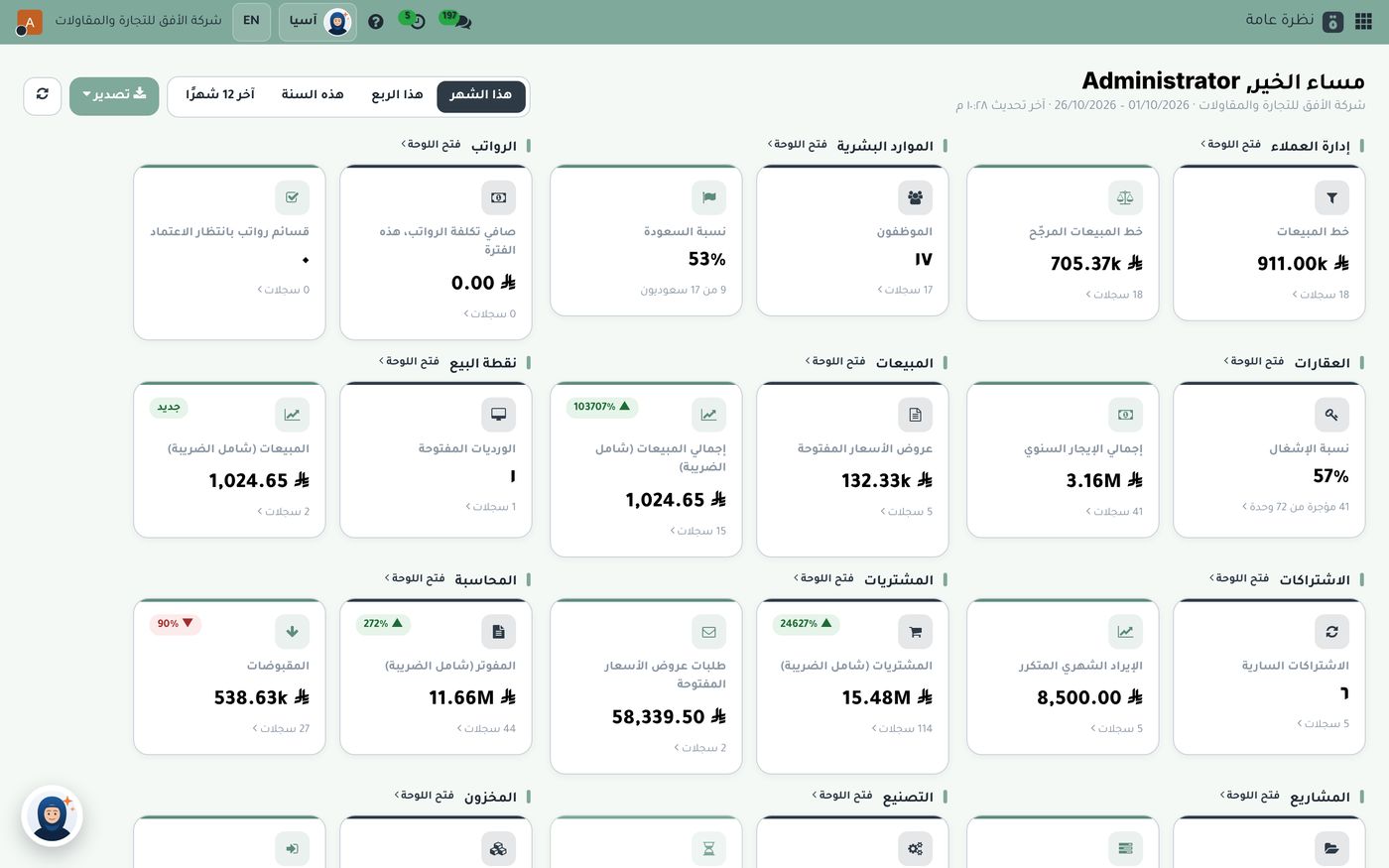
When a salesperson confirms a sales order in Subra, the system reserves the quantity in the warehouse, the invoice is issued from the same order, and the accounting entry is posted automatically. No one copies a number from one screen to another.
Real-time numbers instead of late reports
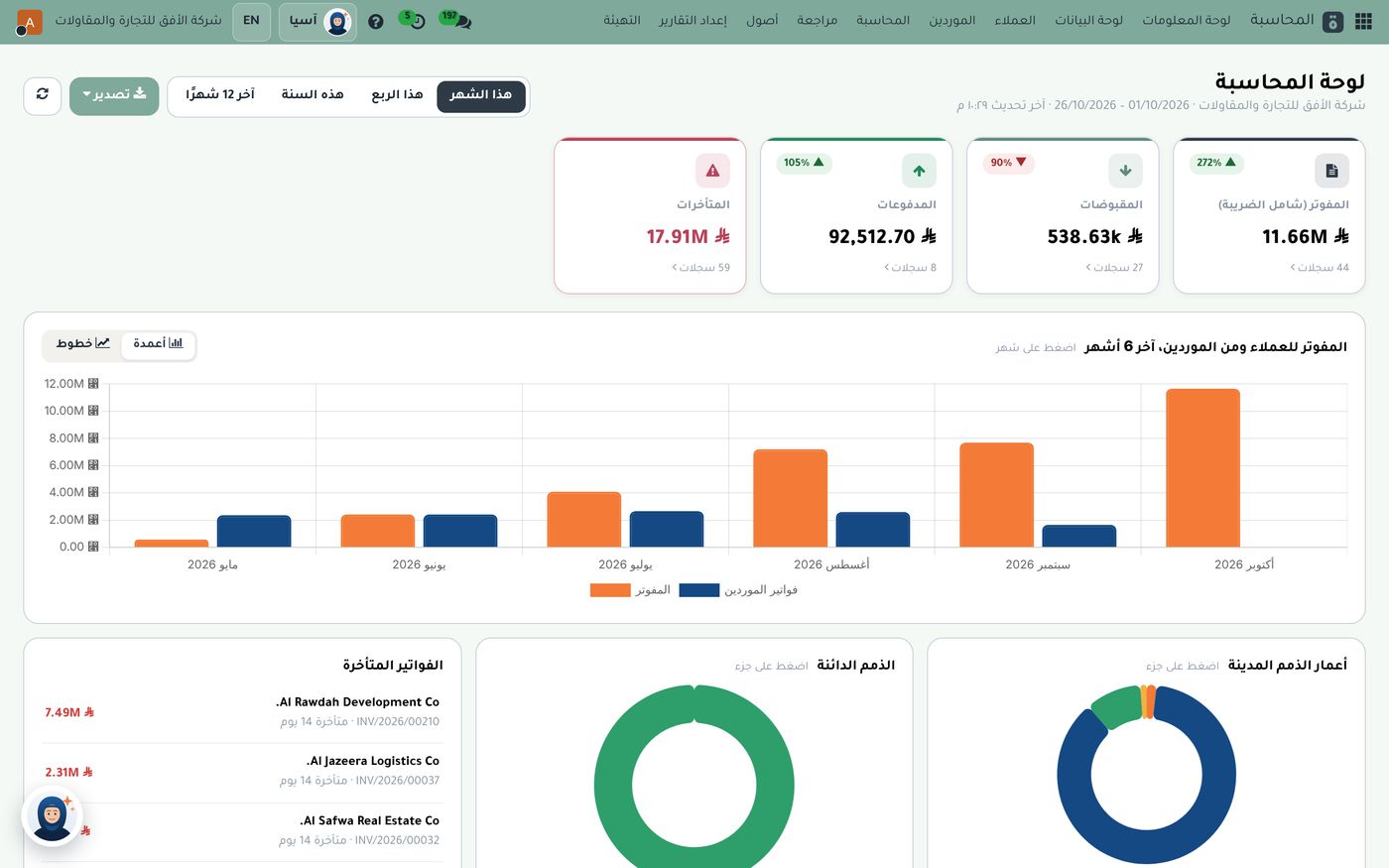
Each department has a dashboard on the first screen of its app. The finance manager sees what's been invoiced, received and overdue today, not at month-end.
Ready compliance with Saudi regulations
Subra comes with a ready Saudi chart of accounts and taxes, and a direct integration with ZATCA's Fatoora platform, in line with both phases of e-invoicing, plus VAT return reports.
Is an ERP right for small businesses?
The common belief is that ERP systems are only for large companies, because they're complex and take a long time to implement. That's true of some systems, but it isn't a rule. What matters is choosing a system that lets you start small: turn on what you need today, and add modules as your business grows, on the same data, without switching to another system later.
That's why the Subra 5 package is built on seven core modules: customer management, accounting, ZATCA integration, tax reports, contacts and calendar, dashboards and reports. You then add sales, purchasing, inventory, HR or point of sale when you need them.
How do you decide in practice?
- Write down one process from start to finish, such as a customer requesting a quote through to paying. Then count how many times data is entered by hand.
- Pick the three numbers your manager needs every week, and ask how long it takes to get them today.
- Add up the cost of your separate systems: subscriptions, staff time spent copying and reconciling, and errors.
- Try it on real data before you decide. A trial reveals what a presentation never will.
The bottom line
Accounting software is an excellent tool for one job. But when the job becomes running a whole company with connected departments, an ERP is the shortest route to correct numbers on time. If you're looking for an Arabic-first system built for Saudi requirements that starts at your company's size, explore Subra's modules or start a free trial from Role8.
Try Accounting and zakat in Subra
Try Subra with demo data, or contact us and we'll set up the system for you.