
Subra in detail.
Every module in Subra and what it offers each department in your company. Modules marked "Add-on" are turned on as you need them.
Sales and customer management
From first contact with the customer to collecting the invoice
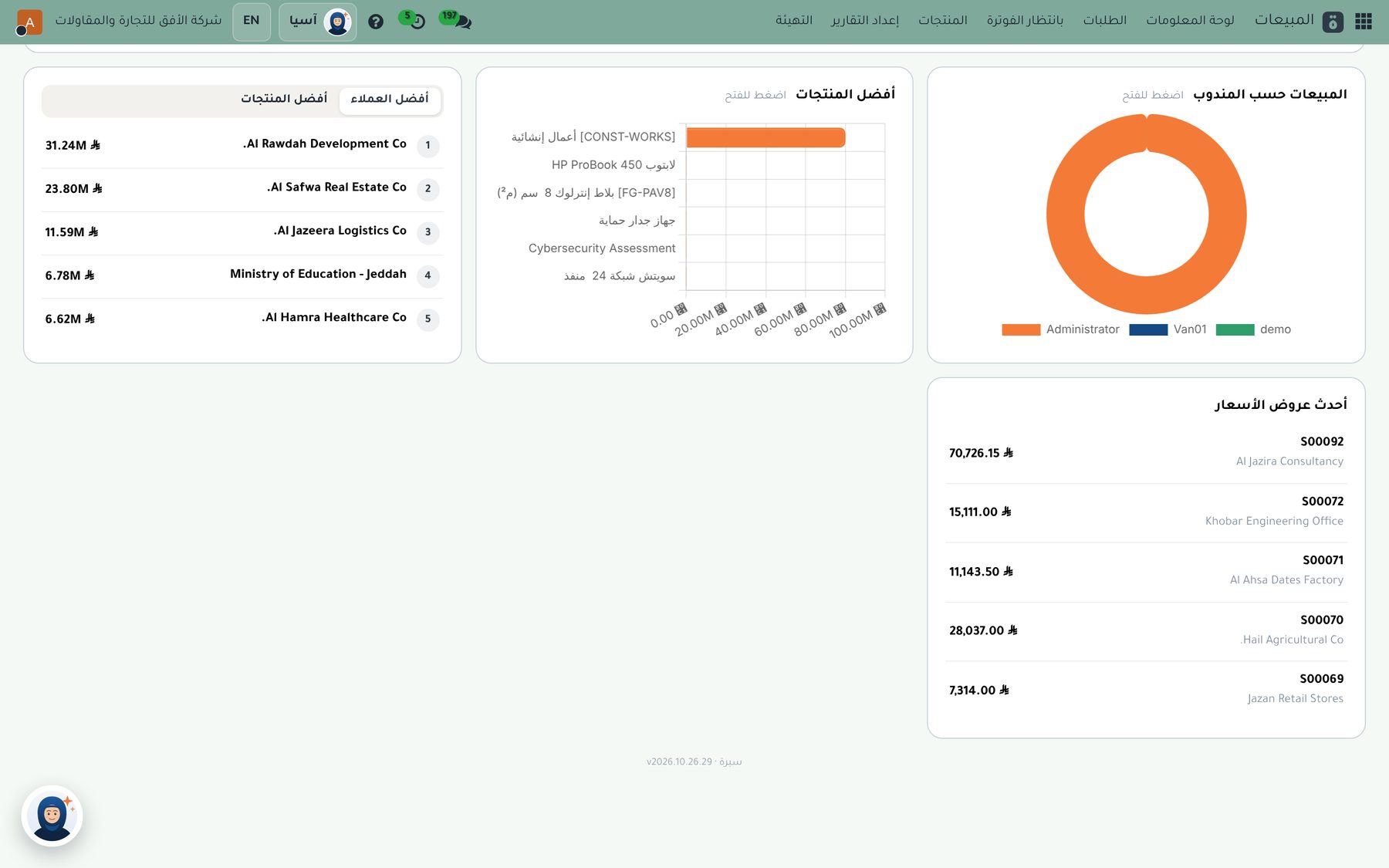
Sales opportunities
Sales stages, expected revenue, activities and reminders.
Quotations
Bilingual templates with your company's identity, sent by email or WhatsApp.
Terms and conditions
Ready terms on quotations, purchase orders and invoices.
Sales orders and delivery
A confirmed order prepares the delivery from the warehouse directly.
The tax invoice
A Saudi invoice with a QR code and the official riyal symbol.
Prices and discounts
Price lists and discounts for each customer or group.
Two ways to sell
The company chooses in the settings the way that suits its business
Through a sales order
Quotation, then sales order, then delivery from the warehouse, then invoice. Suits supply, projects and large orders.
Directly by invoice
One invoice, and the quantity leaves the warehouse as soon as it is confirmed. Suits counter sales, wholesale and showrooms.
Both ways, or invoice only
As the company chooses.
Automatic returns
The credit note puts the quantity back in the warehouse.
Correct accounting
The cost of sales entry is posted automatically.
Van sales
The salesperson works from one app all day, and the manager follows from their dashboard
One app for the salesperson
Route, sales, collection and receipts from the point of sale screen itself.
Works offline
Sells and records arrival on the road, and syncs automatically when the network is back.
Automatic attendance
Opening the shift checks in and closing it checks out, with location and biometrics.
Cash, card or credit
Paid invoices show as paid, and credit sales are due from the customer with a full tax invoice.
Collecting earlier invoices
Receives from the customer and the payment is matched to their invoices, which become paid.
Matched closing
Counting cash against sales and collections, with returns by credit note.
The manager's dashboard and tracking
Vans, loading, route planning and reports, with live tracking of every salesperson on Google Maps
Location sent automatically
The salesperson's phone sends its location every minute; the interval is adjustable.
Live map
The last location of every van, its route during the day and its visits on the map.
Status of every van
Online, stopped or offline, based on the last location received.
Visit verification
On arrival the system calculates the salesperson's distance from the customer's location and saves it.
Customer radius
A radius in meters set by the company; outside it, check-in gets a warning or is blocked.
Route history
Location history is kept for review, for a period the company sets.
Online attendance
Location-based check-in from the phone or browser, with no fingerprint devices
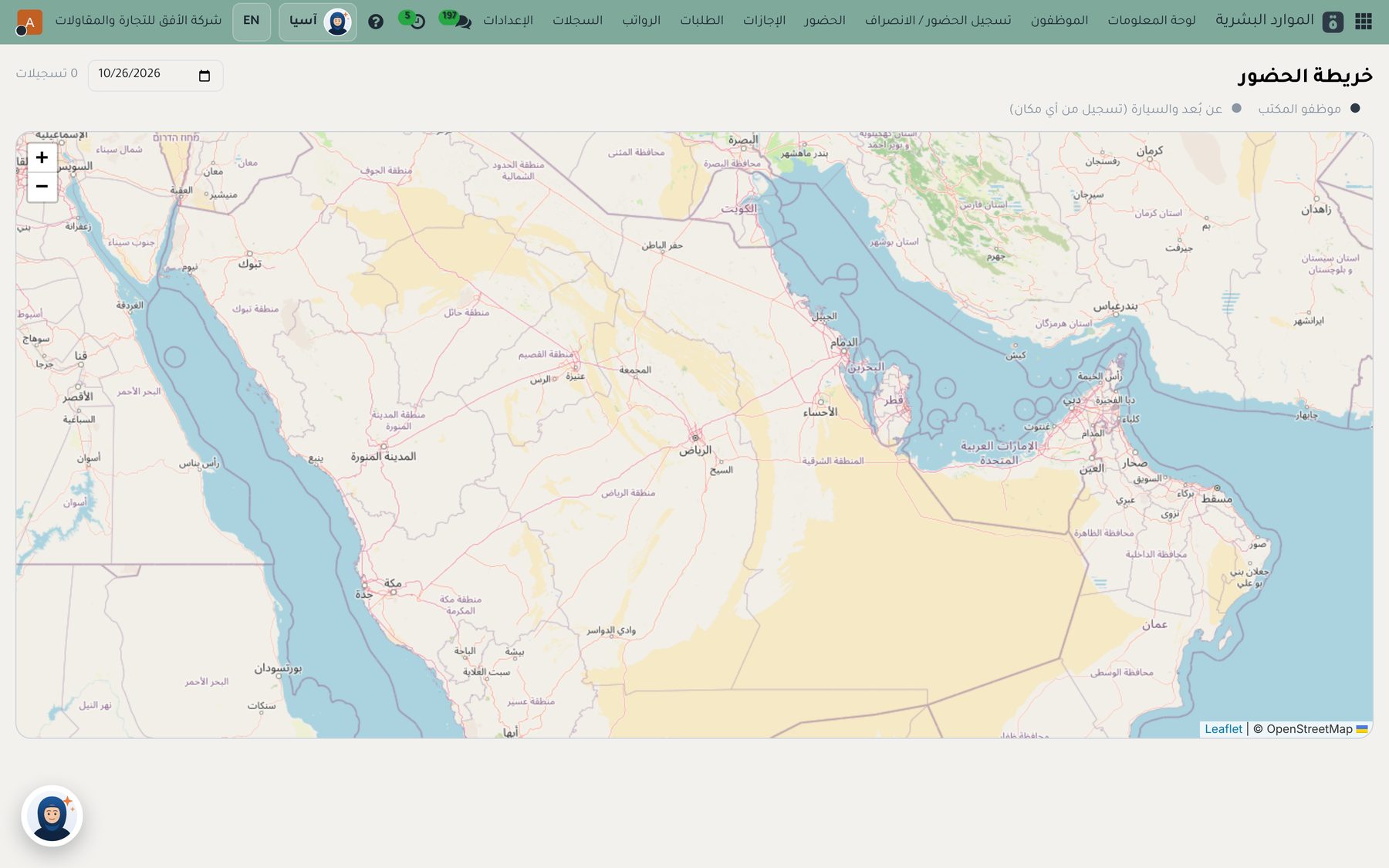
Location-based check-in
The location is required for every check-in and check-out, and is saved with the record.
Office radius
Every branch has a location and a radius in meters, and anyone outside it can't check in.
Biometrics from the phone
Identity confirmed with face or fingerprint on the employee's own phone.
Field staff and salespeople
Remote workers and salespeople check in from anywhere, and their location is saved.
Attendance map
All of the day's check-ins and check-outs on the map, with a link for each point.
Shifts and exceptions
Shifts, lateness and exceptions, with an approval cycle.
Employee self-service
The employee portal on their phone, installed as an app
Attendance
Check in with location and biometrics in one tap.
Time off
Request, cancel and track the balance.
Payslips
View and download every payslip.
Advances
Request an advance and track its installments.
Letters
Request a letter and download it after approval.
Visas and tickets
Request an exit and re-entry visa or a travel ticket.
Documents
Upload and update documents.
Personal profile
View your details and request changes.
Manager approvals
Managers approve their team's requests from their phone.
Employee expenses from the phone
From a photo of the receipt to the accounting entry in four steps.
- Snap the receiptThe employee photographs the receipt from self-service on their phone.
- Automatic fillFrom the barcode: amount, date, shop and VAT, and the system learns the category from past expenses. With the OCR add-on, a receipt with several categories is split, such as a hotel: room and dinner.
- Approval cycleReady and adjustable up to 3 or 4 levels: the direct manager, then the finance manager, then the general manager for amounts above SAR 5,000.
- Accounting entryAn entry to the expense account with recoverable input VAT, and an amount due to the employee that is paid directly.
Other add-ons
Turned on as your company needs them
Project management
Tasks, stages, deadlines, working hours and the cost of every project.
Manufacturing
Bills of materials, manufacturing orders, material consumption and product cost.
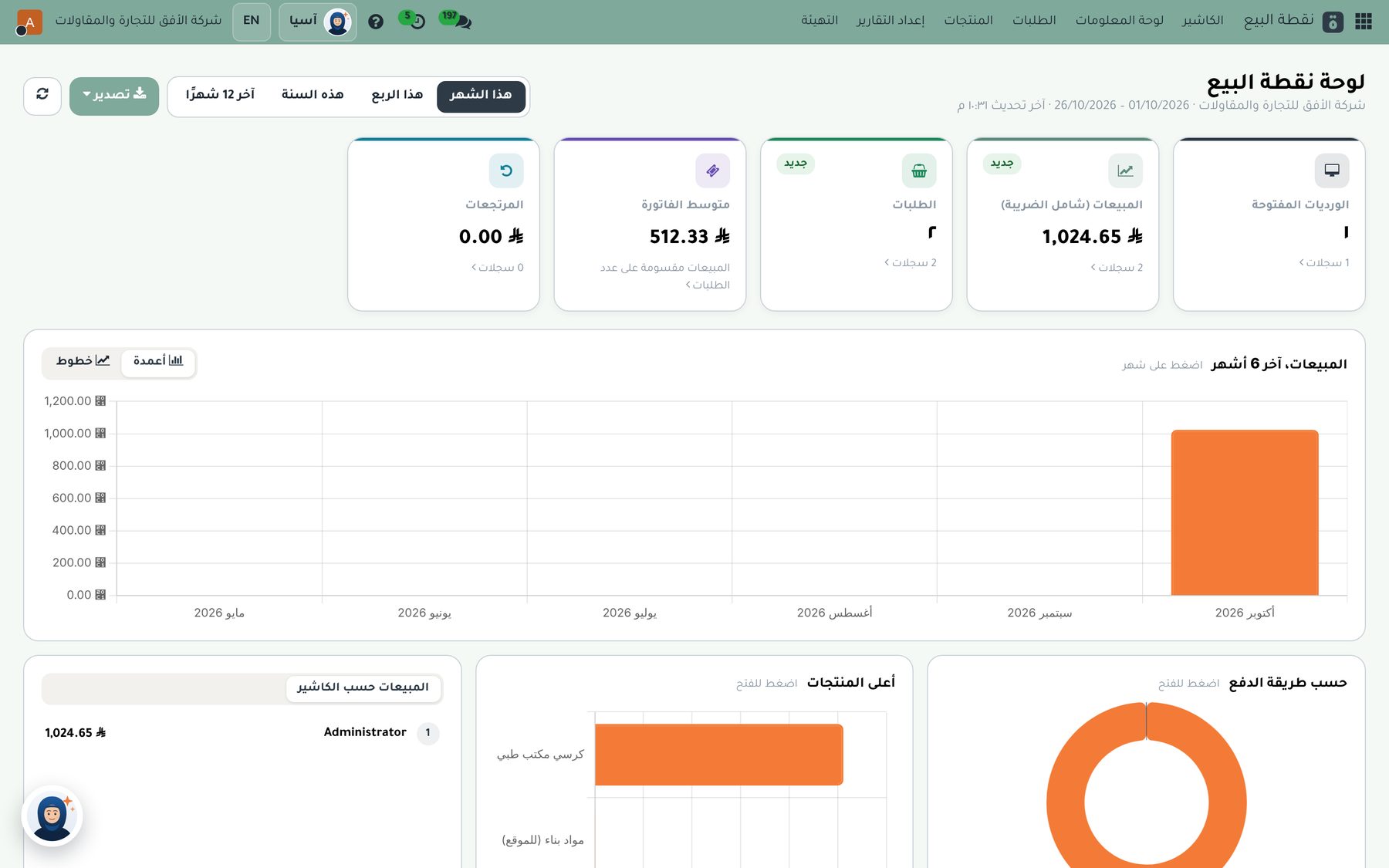
Point of sale
A cashier on any device with a tax receipt, connected to inventory and accounting.
Subscription management
Monthly and yearly subscriptions with recurring invoices and renewals.
Purchasing and inventory
Every stock movement with the right accounting impact
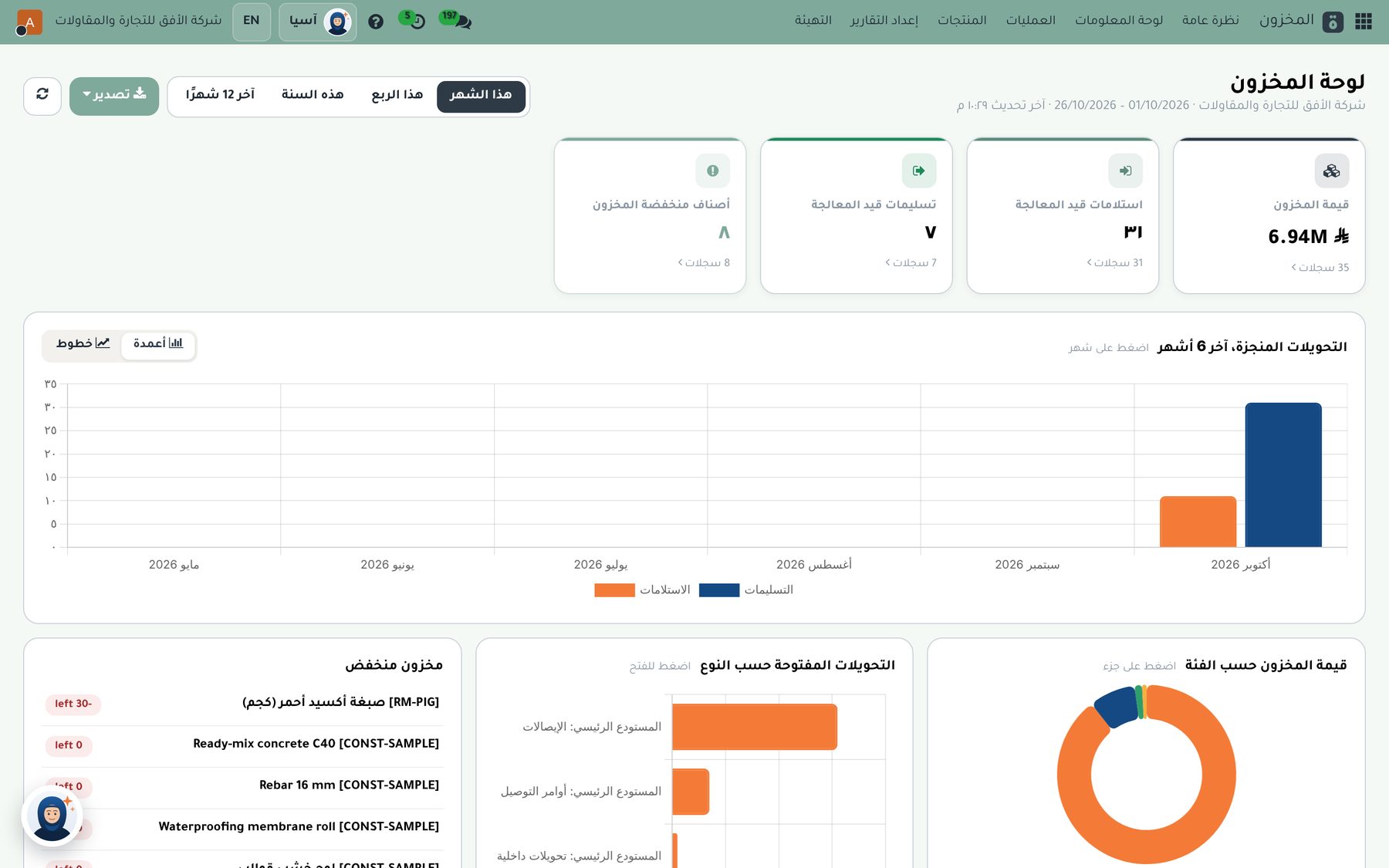
Purchase orders
Request quotes from suppliers, then issue a purchase order on a bilingual template.
Receipts and bills
Receive goods and match the supplier bill against the order.
Warehouses
Multiple warehouses and locations, with transfers between them.
Costing method
Weighted average or FIFO, as the company chooses.
Inventory valuation
Stock value linked to the accounts in real time.
Stock counts and forecasts
Cycle counts and forecast incoming and outgoing quantities.
Reading supplier invoices
Two ways to enter purchase invoices without typing them in.
Reading the invoice barcode
Upload the supplier invoice (PDF or image) and the system reads the ZATCA barcode:
- The supplier and their VAT number
- Date, total and VAT
- Creates a draft invoice ready for review
- Adds a new supplier with their VAT number automatically
Reading the full invoice (OCR)
Reads the full invoice with its lines from a PDF or image:
- Every line with quantities and prices
- In Arabic and English
- Several invoices at once
- Alerts you if the total doesn't match the sum of the lines
The invoice stays a draft for review before confirmation, and both options are turned on from the settings.
Accounting
Complete Saudi accounting, built on the company's day-to-day work
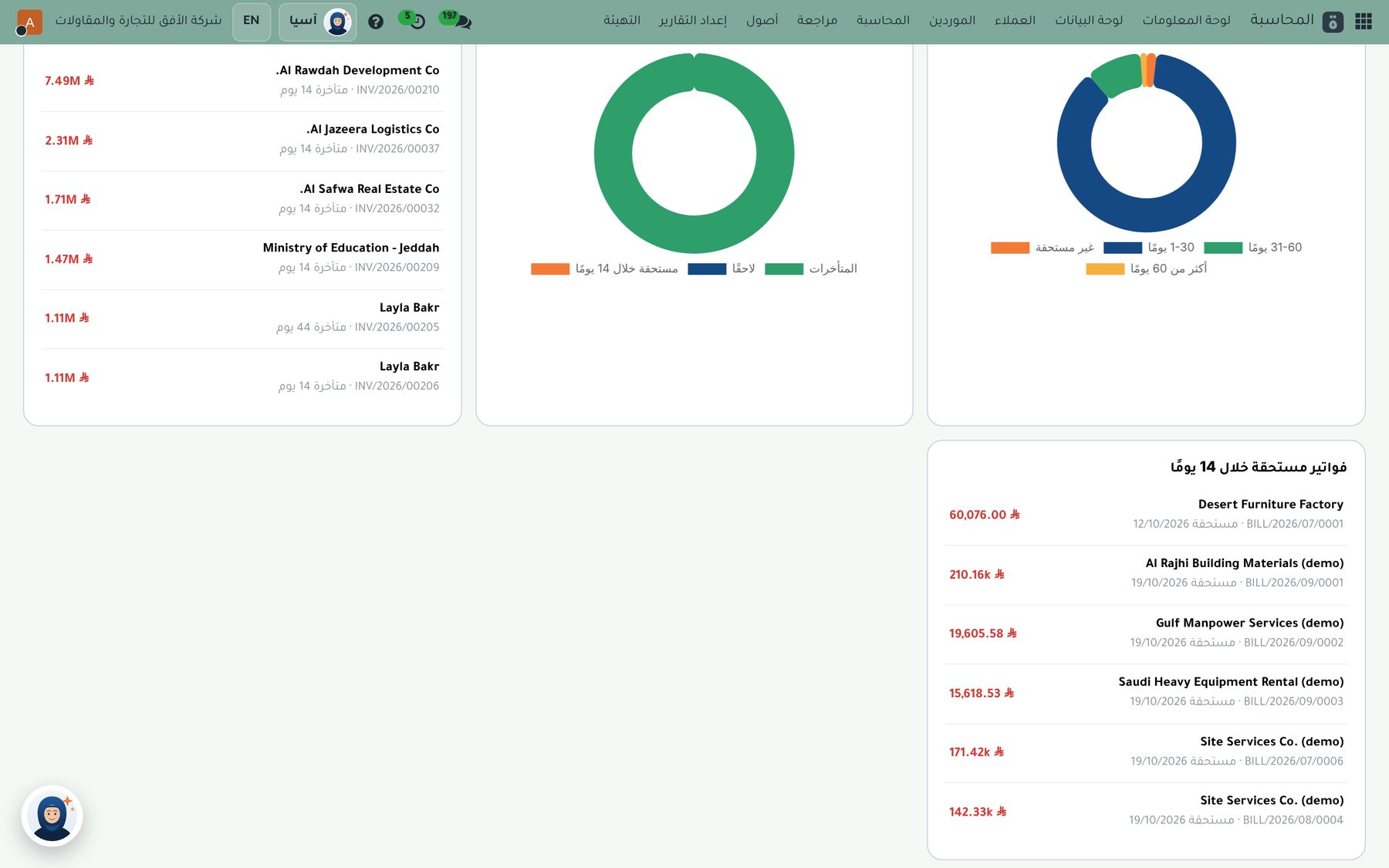
ZATCA integration
Direct integration with the Fatoora platform: invoices, credit notes and debit notes are submitted and cleared in real time, compliant with phases one and two.
Tax reports
The VAT return with detailed sales and purchase reports, ready to review and file.
VAT
A ready Saudi chart of accounts and taxes, with the correct tax rates and codes.
Financial statements
Income statement, balance sheet, trial balance and general ledger.
Aged balances
Customer and supplier balances by age.
Budgets
Budgets, planned-versus-actual comparisons and cost centers.
Fixed assets
An asset register with automatic depreciation.
Bank reconciliation
Import bank statements and match them with your entries.
Dashboards and reports
Management decisions based on real-time numbers
Every user sees only what their permissions allow in dashboards and reports.
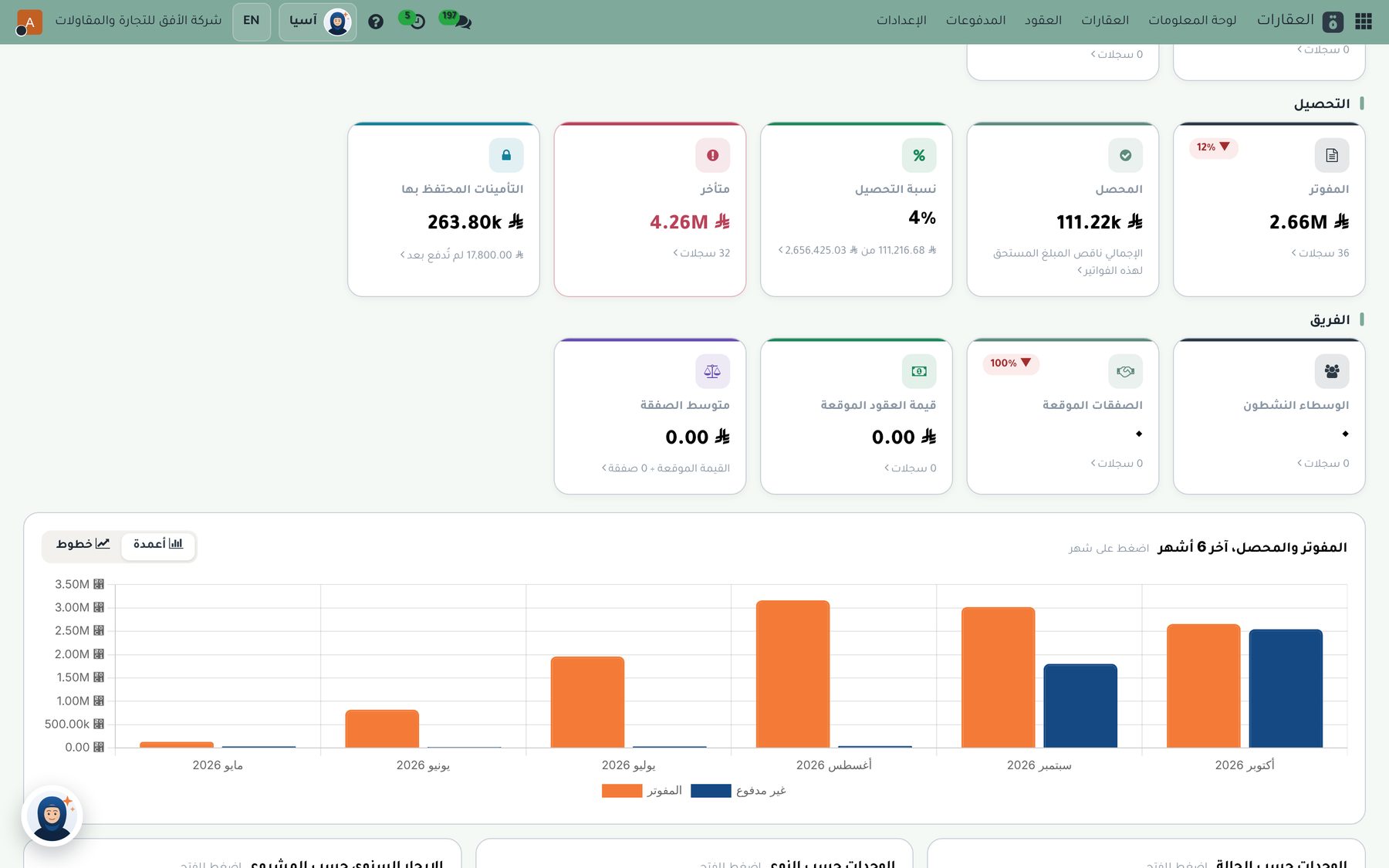
Home page
Key figures, shortcuts, today's tasks and apps by department.
A dashboard for every department
Sales, customers, purchasing, inventory and accounting on the first screen of each app.
Ready-made reports
In Arabic and English, to view, print or export to Excel.
HR and payroll
Built on the Saudi Labor Law
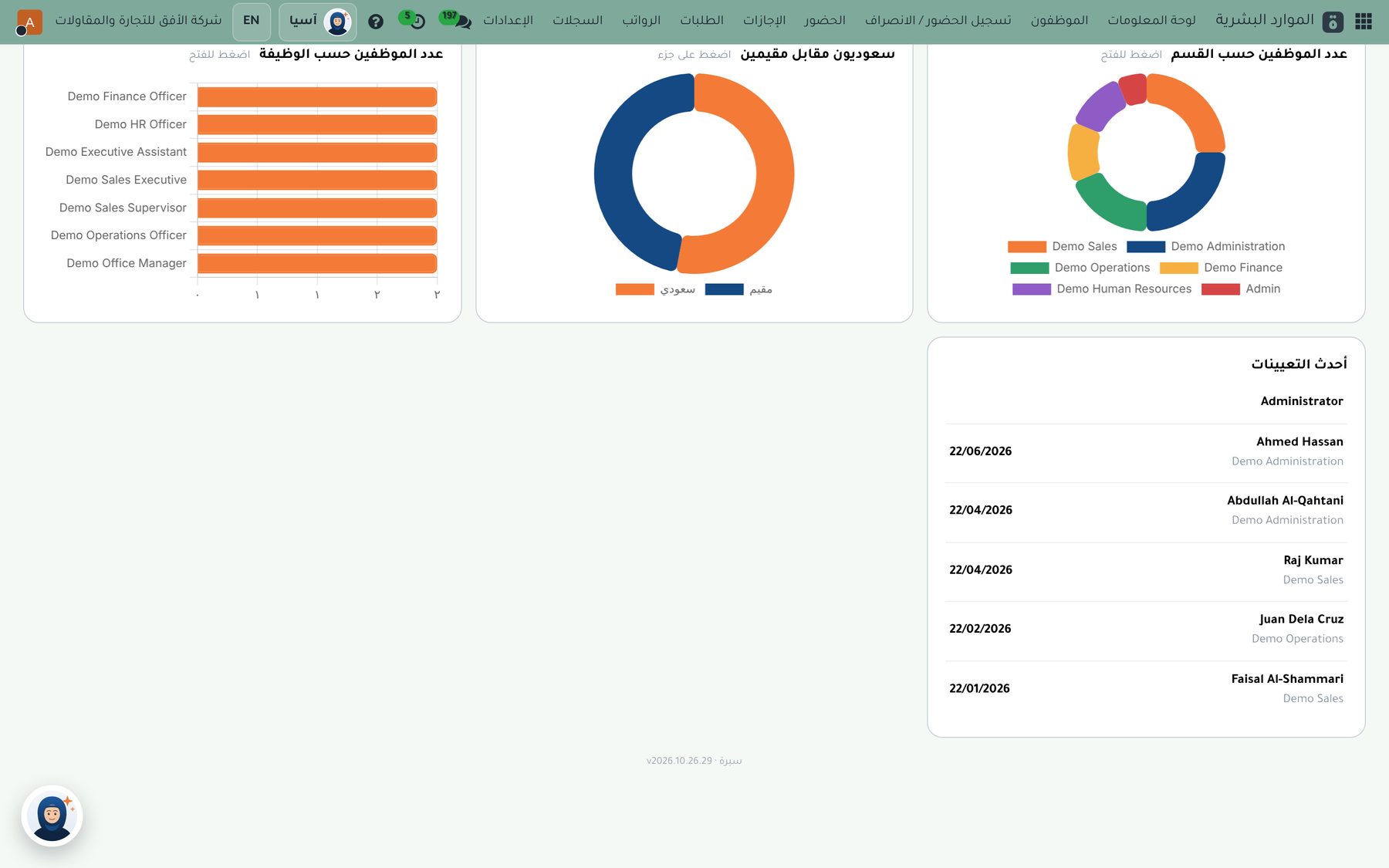
Employee file
Documents, dependants, insurance, visas, letters and penalties.
Geofenced attendance
Check-in from the phone with face or fingerprint, accepted only inside the geofence set for each work site, with shifts.
Time off
Balances, requests and approval.
Payroll
Payroll runs, advances and salary components without programming, with the accounting entries.
Saudi requirements
GOSI and end of service in one click, the Wage Protection System, Saudization and overtime.
Self-service
Employees request leave or a letter and see their payslip from their phone.
Integrations
One place for every integration with outside parties
Send documents and messages, and replies appear in the customer's record.
SMS
Through Taqnyat, Unifonic or Msegat, with your own account and a message log.
Telegram
A dedicated bot that sends documents and receives replies.
Paymob
Online card payments, available to everyone.
Other payment gateways
Amazon Payment Services, Stripe and PayPal on request.
Online stores
Salla, Zid and Shopify integration: orders come in and stock updates automatically.
The platform
Fast, secure and ready from day one
Mobile app
Installs as an app with notifications and touch-friendly screens.
Fully Arabic
Menus, screens and printouts in Arabic, and English in one click.
Printouts with your identity
Documents with the company's logo and colors.
Independent data
Every company has its own system and database, shared with no one else.
Daily backup
A copy of the data and files every day, with the option to restore.
Precise permissions
Every user sees only what concerns them, based on their role.
See Subra running on data like your company's.
We show you only the modules that matter to you, and answer your team's questions.